PROFILEOS
No more scattered notes. Finally, everything your business needs in one place.
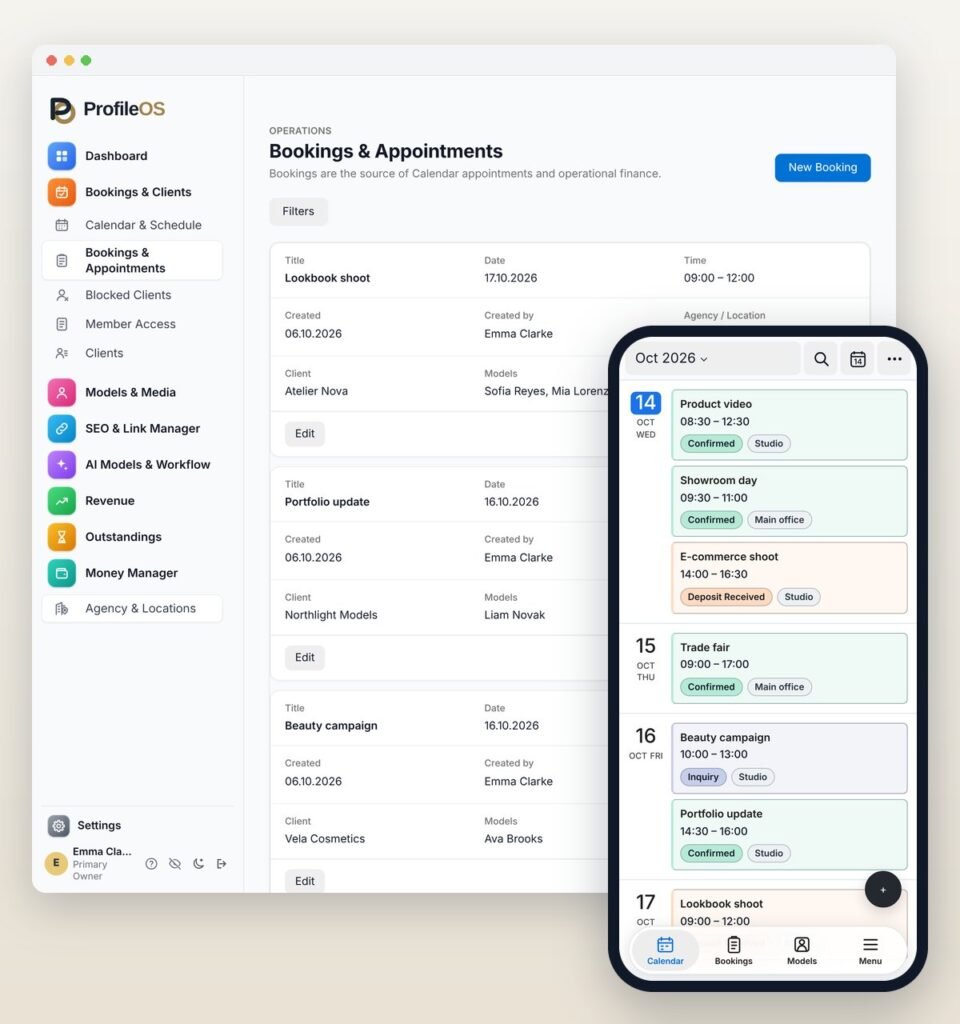
ProfileOS is the simple platform for model agencies and independent models. Manage bookings, clients and models and keep track of your income. Everything takes just a few clicks on your phone or laptop.
PROFILEOS
Who is ProfileOS for?
Whether you lead a whole team or work on your own, ProfileOS has an account type for you.
An agency coordinates many models, client enquiries and appointments at the same time, every single day. An independent model has to handle the same things alone, and usually on the move. Both need one place for all of it.
That is why there are two account types: one for agencies and teams, one for independent models. Open your group below and see exactly what ProfileOS takes off your plate.
For model agencies
Your models, appointments and income, organised for your team.
- One calendar for everyone: See at a glance which model is booked and when.
- Who is calling? Recognise returning clients by their number or email.
- Blocked clients: ProfileOS points it out when a client you no longer work with appears in a new booking.
- Keep the team organized: Hand out tasks with due dates and discuss bookings in the team chat.
- Stay on top of the money: Commissions per model, open amounts and deposits are clearly listed.
For independent models
Manage your bookings and clients with ease, directly from your phone.
- Your own booking calendar: Add appointments while you are out and look at your plans by day or by week.
- Your own client records and notes: Keep preferences and important details about your clients in your account.
- Clients you no longer work with: they stay marked, with the reason you noted.
- Record income as it comes in: Deposits belong to the booking, and Money Manager shows you your income, without a separate spreadsheet.
- Secure on every device: Privacy Mode and an optional Lock Screen are part of your account.
ProfileOS in everyday work
Know your clients – before you confirm
The client check remembers for you.
A new enquiry comes in and you wonder: do we already know this person? Instead of searching through chats, notebooks and old lists, you let ProfileOS compare the contact details. You see straight away whether the client is already known.
A client cancelled at short notice and never paid the invoice – you block them and note the reason. If the same client asks again weeks later, ProfileOS shows a warning as you set up the booking, and it is only saved after an explicit confirmation.
The check also compares addresses: if the address of a new enquiry matches that of a blocked client, ProfileOS points this out as well.
This helps agencies and independent models alike. The block stays in place, even months later – and when a new colleague takes over the phone, the note on what happened is still there for anyone with access to the client record.
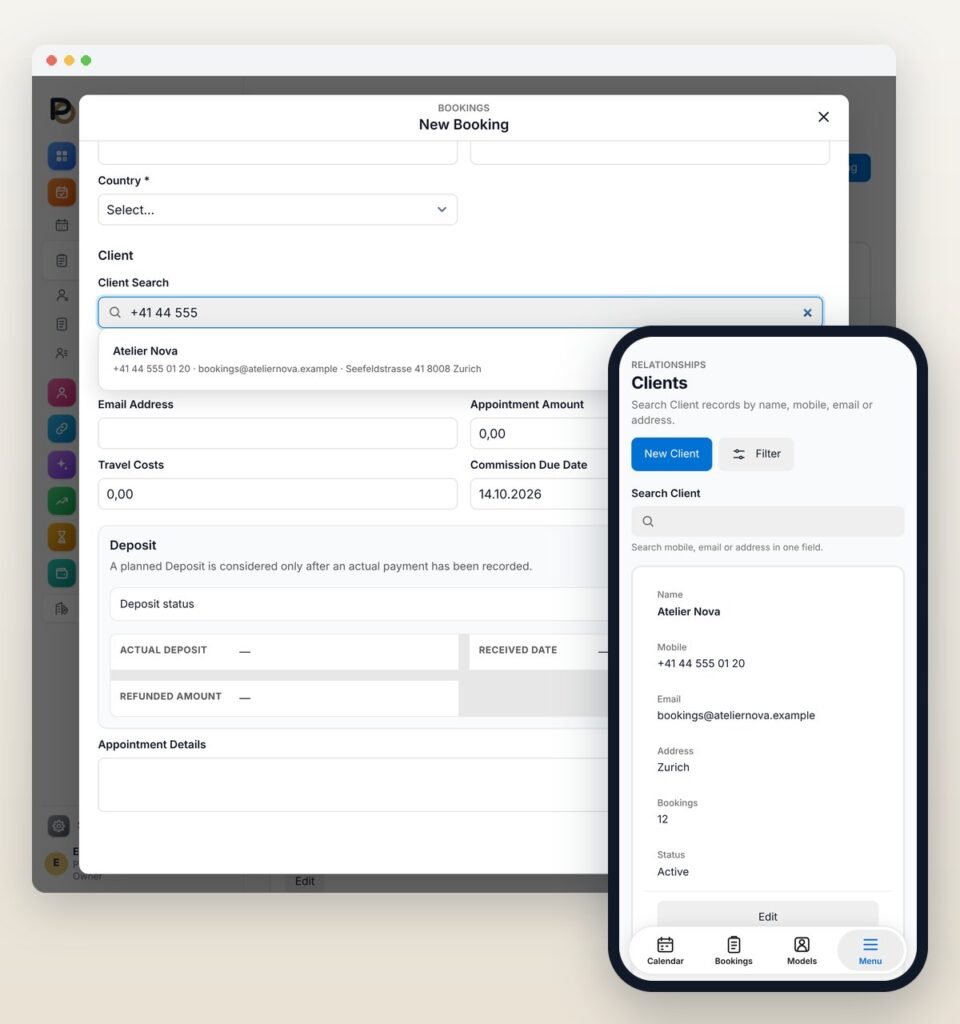
Found by number, email or address
Only have a street address this time? That is enough to find the client and open the client record straight away.
The history of every client
When a regular client plans a new job, their record tells you which models they have worked with before. As an independent model, you see your own bookings with that client.
Notes in the right hands
Preferences and things worth knowing go into the notes of the client record. In a team, what a colleague may see depends on the permissions you give them.
ProfileOS in everyday work
One calendar that keeps the whole day in view
Who is working when – at a glance.
A typical morning: a regular client asks about a shoot next Thursday, a new client about an event at the weekend. You look at both dates and see which models already have bookings then. You create both bookings, assign the models, and everyone in your team who works with the calendar sees the same schedule.
Now and then, two requests end up at the same time. When you save the second one, ProfileOS shows a clear notice that the model is already booked then. It does not decide for you: you can move one of the bookings or keep both as they are, for example while one of them is still only an enquiry.
For agencies, there is one more step: the model needs the details of the job – date, time and location. They get them from you, on WhatsApp or Telegram – ProfileOS fills in the details of the confirmed booking, and the message is only sent when you press send.
At the office desk or on your phone on the way to a job, it is always the same calendar. Whatever you add on the move is already there when you are back at the office.
As an independent model, you use the same calendar just for your own jobs, so all your bookings for the week are in one place. When a client asks about next Tuesday, you check the day and know whether you are already booked. If you are, you can suggest another date straight away.

ProfileOS in everyday work
Messages, tasks and ideas in one shared place
Talk, plan and hand over in one place.
In many agencies, coordination happens in private chats and in quick calls across the room. Important details end up on the phone of a single person and are missing as soon as someone else needs them. ProfileOS brings these conversations to where your clients and bookings already are.
Take a shoot that is prepared over several days: the details are discussed in the team chat, the jobs around it are tasks, and the idea behind it came from the shared collection. Whoever takes over later sees in the tasks what is still open and who is on it.
The end-to-end encrypted team chat is part of the account for agencies and teams. Tasks and ideas are available to independent models as well, for their own to-dos and plans.
Team chat
Talk about bookings and clients in ProfileOS instead of in private groups. The team can read back what was agreed, even when a colleague is out of the office.
Tasks
Write down what needs doing, add a due date and hand it to the right person. The person responsible sees the task and when it is due.
Ideas
Ideas for new shoots or promotions go into one shared collection. When the moment is right, an idea becomes a task – until then, a good suggestion waits in the collection.
ProfileOS in everyday work
Clear figures instead of month-end maths
Money Manager does the sums with you.
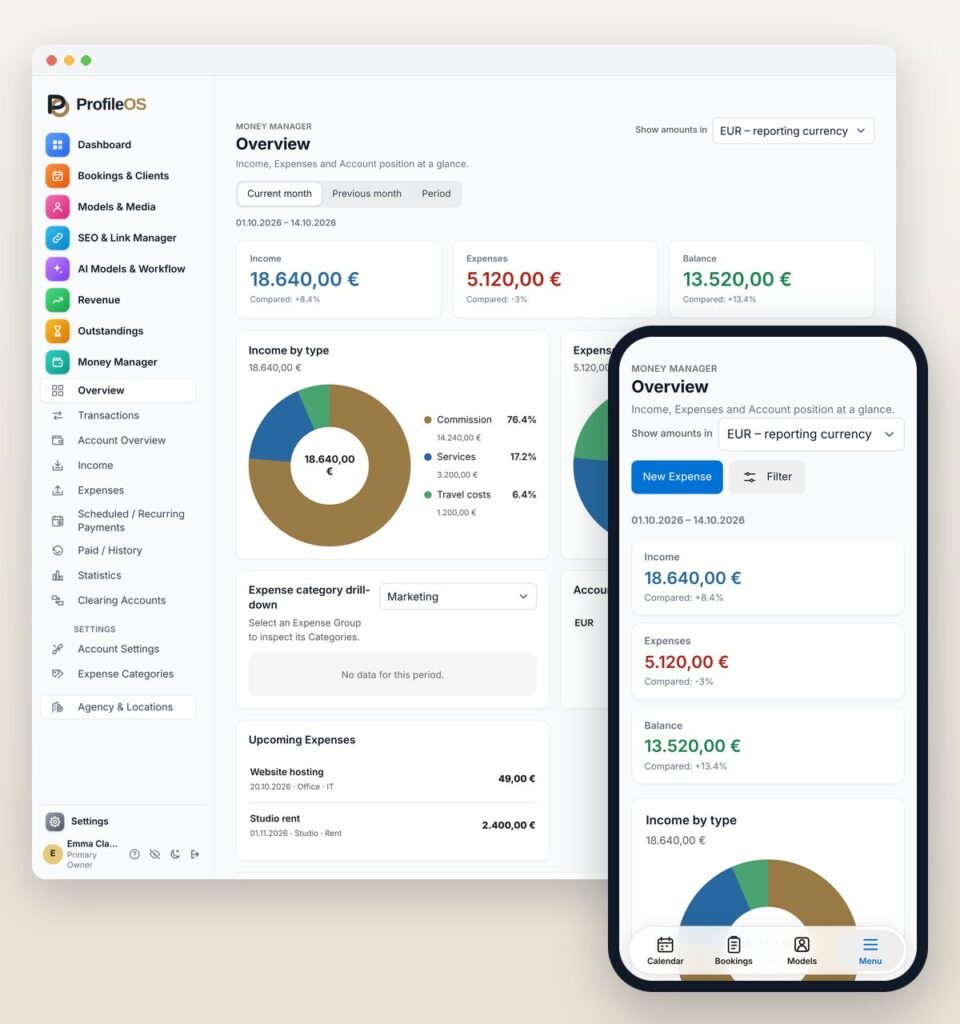
Every deposit, every open balance and every agreed amount gets its own fixed place. ProfileOS keeps each amount with the booking or sale it belongs to, so the figures for the month come together from what you have already recorded.
It starts with the deposit. A client pays it before the job, you note it on the booking, and once the job is done, it is already part of the total. If a client has not paid the deposit yet, you find the booking among the outstanding deposits.
Especially useful for agencies: you see which share stays with the agency and how much goes to each model. When you sit down with a model at the end of the month, you create the commission for the period as a PDF and go through it together.
Money Manager adds the bigger picture beyond single bookings, including what you spend – rent for a studio, travel, a new portfolio shoot. The bookkeeping itself stays with whoever does it today; Money Manager is there for the overview in between.
And if you work independently, you can see at any time what has already come in this month and what is still outstanding. When you plan the next month, you start from real figures instead of guesses.
PROFILEOS
Simple, always with you and well protected
Three things you can rely on with ProfileOS.
New software should take work off your hands, not create more. That is why ProfileOS is organised around what you deal with every day – clients, bookings, deposits.
And because so much comes together in ProfileOS, there are fewer apps and lists to keep in your head.
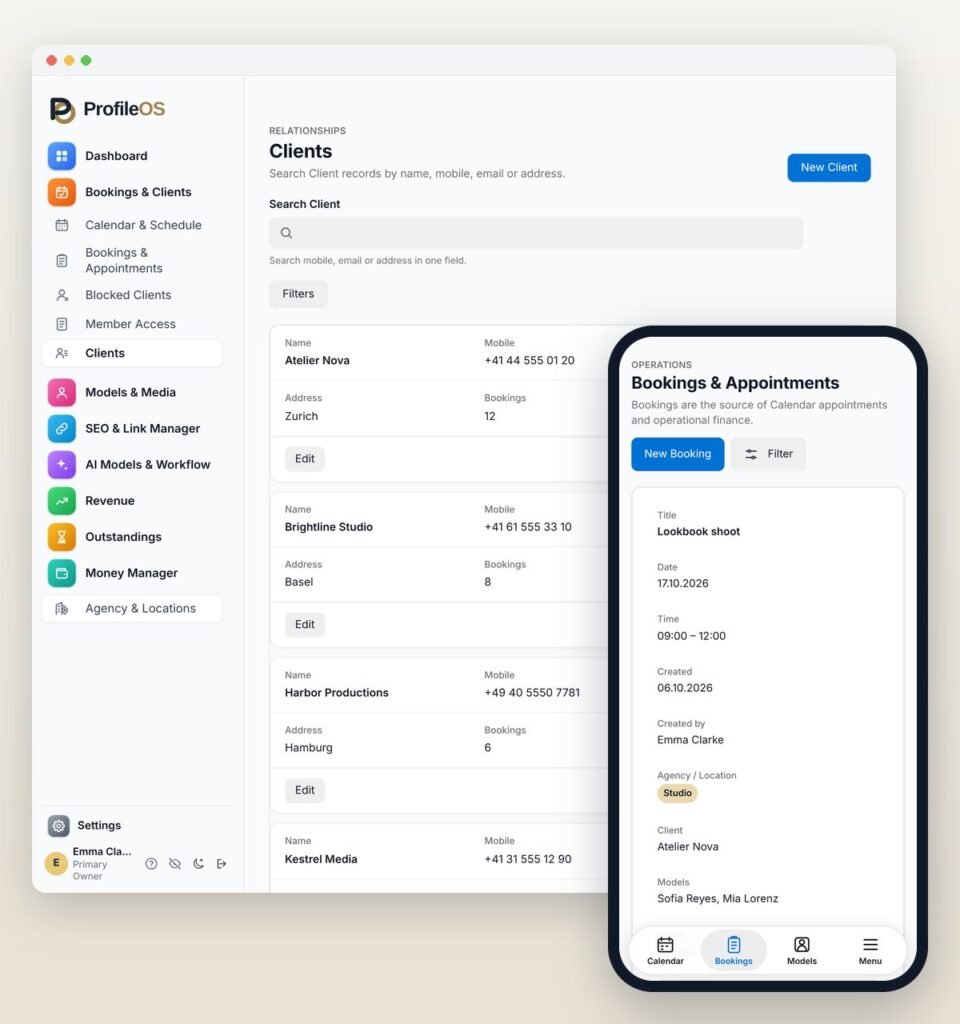
Easy to follow
You do not need a technical background: if you can send messages on your smartphone, you already have what it takes.
On every device
You open ProfileOS in your browser – on an iPhone, an Android phone, a tablet or a laptop. There is nothing to download, and you work with the same information everywhere.
Permissions for your team
In a team, the permissions you hand out decide which areas each colleague can open and what they may change there.
PROFILEOS
Try ProfileOS for 14 days in your real working week
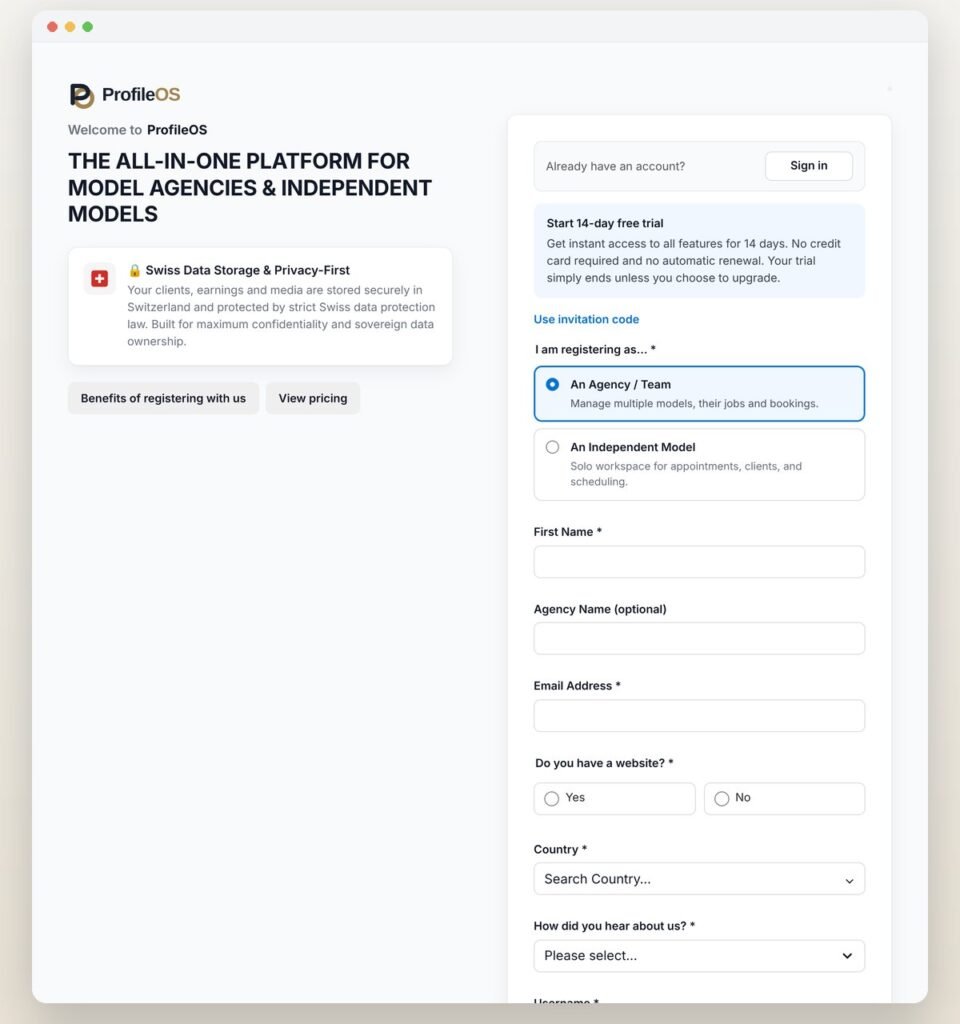
Set up your account, add a few real appointments and clients, and take your time to see whether ProfileOS suits the way you work. The first 14 days cost you nothing.
- Free registration